
The Native Spatial Workspace
for Windows.

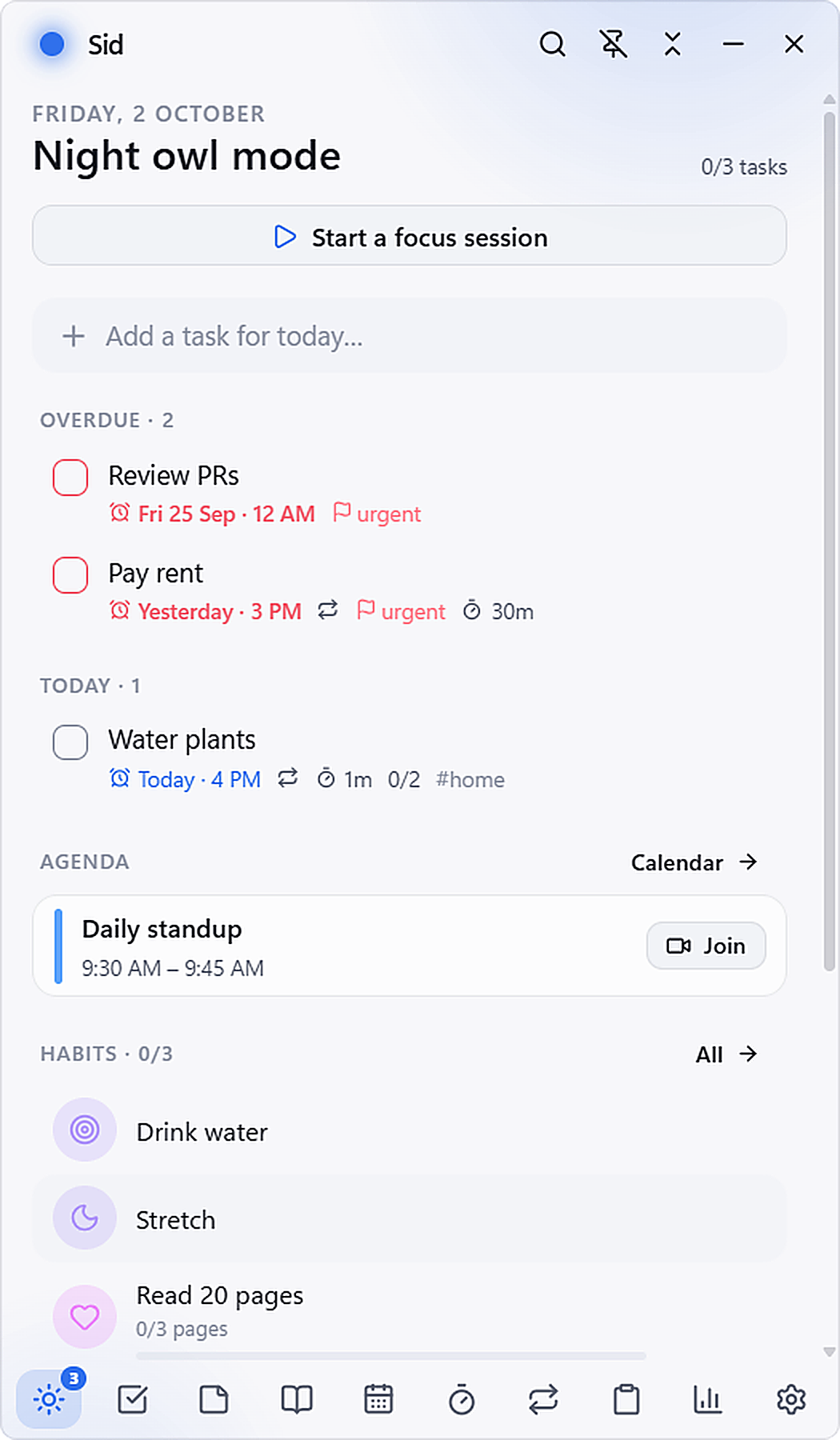
DayFlit stays docked beside your active workspace. Capture tasks in plain natural language, timebox your calendar, run deep focus blocks with Spotify, dictate voice thoughts via offline Whisper, and keep a private encrypted journal. 100% offline, local JSON storage, zero telemetry.

Windows 10 & 11 (64-bit) 3.94 MB Signed Installer Zero Cloud Telemetry
DayFlit Floating Companion Mini Orb
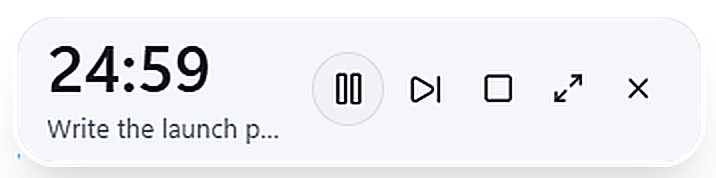
Picture-in-picture focus timer
DayFlit — Floating Companion Active Workspace
Local-First · Windows 11
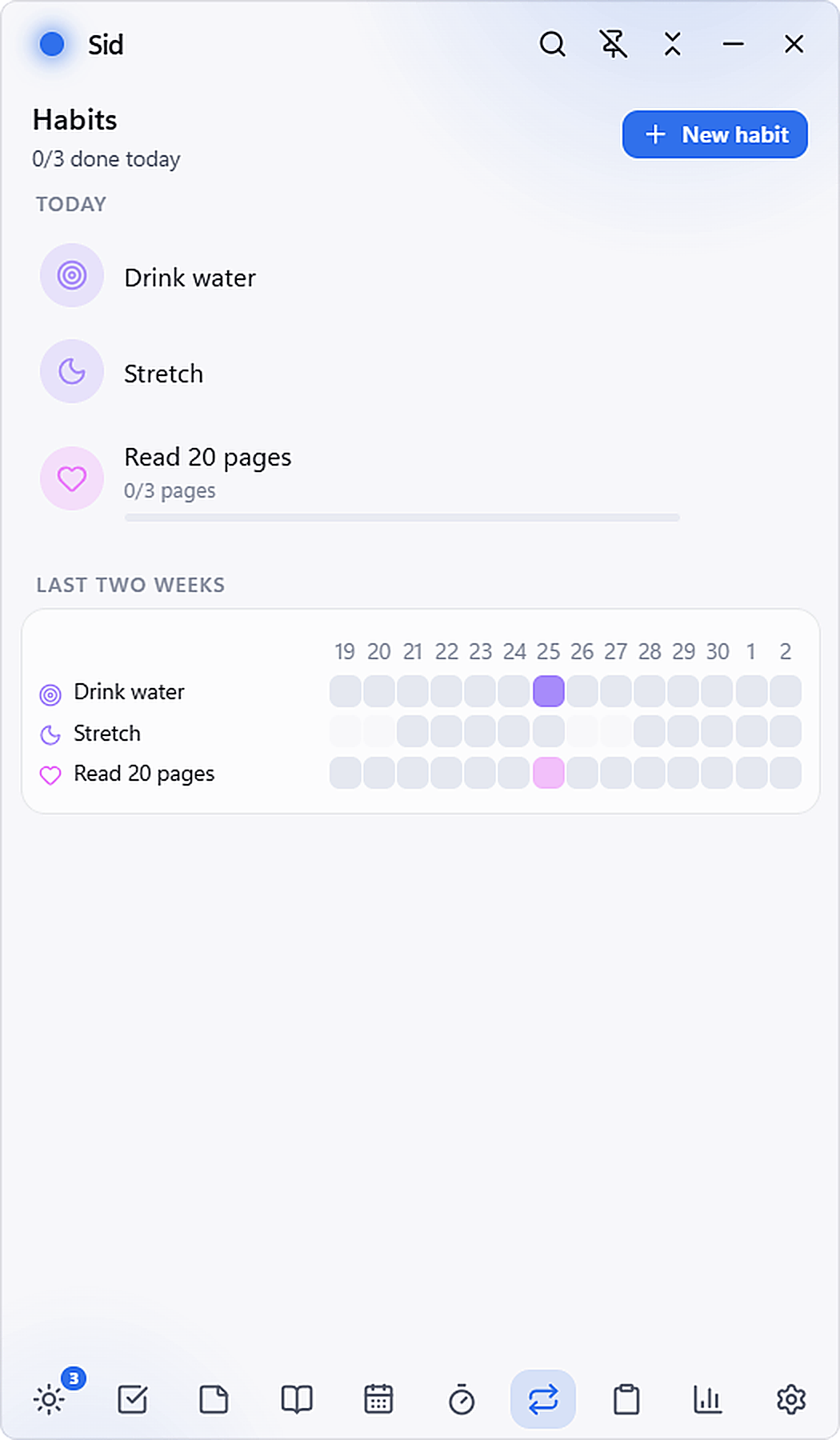
DayFlit desktop companion dashboard overview showing today tasks, agenda, and habit streak
Docked · Alt + Space to dismiss · Local JSON vault sync
Developers Alt + Shift + Space launches a 25m Pomodoro with Spotify & auto-pauses when workstation locks.
Founders Drag and drop natural language tasks directly onto Google Calendar and Outlook timelines.
Writers Hold Alt + Shift + V anywhere to dictate thoughts with offline Whisper without cloud servers.
Privacy Purists Zero cloud telemetry. All tasks and journal entries stored in plain, local JSON with automated zip backups.
Minimalists A floating frameless companion that collapses into a tiny 48px ambient desktop orb.
Engineers Sub-millisecond fuzzy search across tasks, archives, and Markdown notes via Alt + Space.
Developers Alt + Shift + Space launches a 25m Pomodoro with Spotify & auto-pauses when workstation locks.
Founders Drag and drop natural language tasks directly onto Google Calendar and Outlook timelines.
Writers Hold Alt + Shift + V anywhere to dictate thoughts with offline Whisper without cloud servers.
Privacy Purists Zero cloud telemetry. All tasks and journal entries stored in plain, local JSON with automated zip backups.

Spotlight Architecture

Built with surgical precision for keyboard power users.

Most productivity tools hijack your entire display and hold your data hostage in proprietary cloud databases. DayFlit stays effortlessly docked beside your active workspace with zero perceptible latency and infinite privacy.

Natural Language Parser

Tasks that understand human shorthand

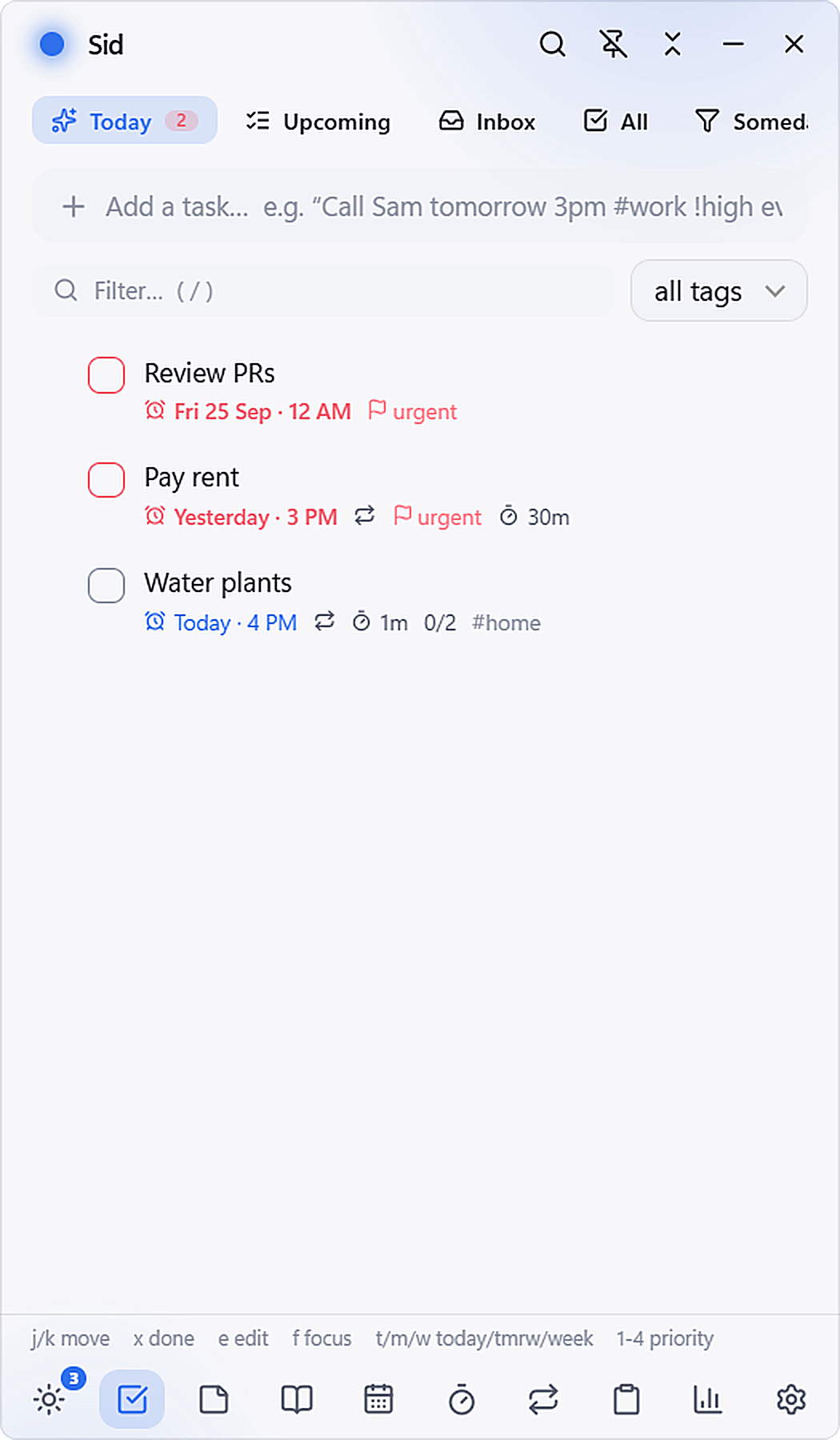
Type naturally: “Review contracts tomorrow 3pm #legal !urgent for 45m”. DayFlit's local tokenizer extracts dates, recurrences, priorities, durations, and project tags in real time with sub-millisecond execution.
100% Local Storage

Zero Cloud Telemetry

No remote servers, no third-party analytics, no subscriptions. Your tasks live in plain, human-readable JSON files with atomic writes and automatic daily zip backups.

Storage Format Standard JSON
Network Calls 0 requests
Location %AppData%/DayFlit
Integrity Check SHA-256 (Pass)
Data Sovereignty 100% User Owned
Windows Media Engine

Deep Focus & Spotify

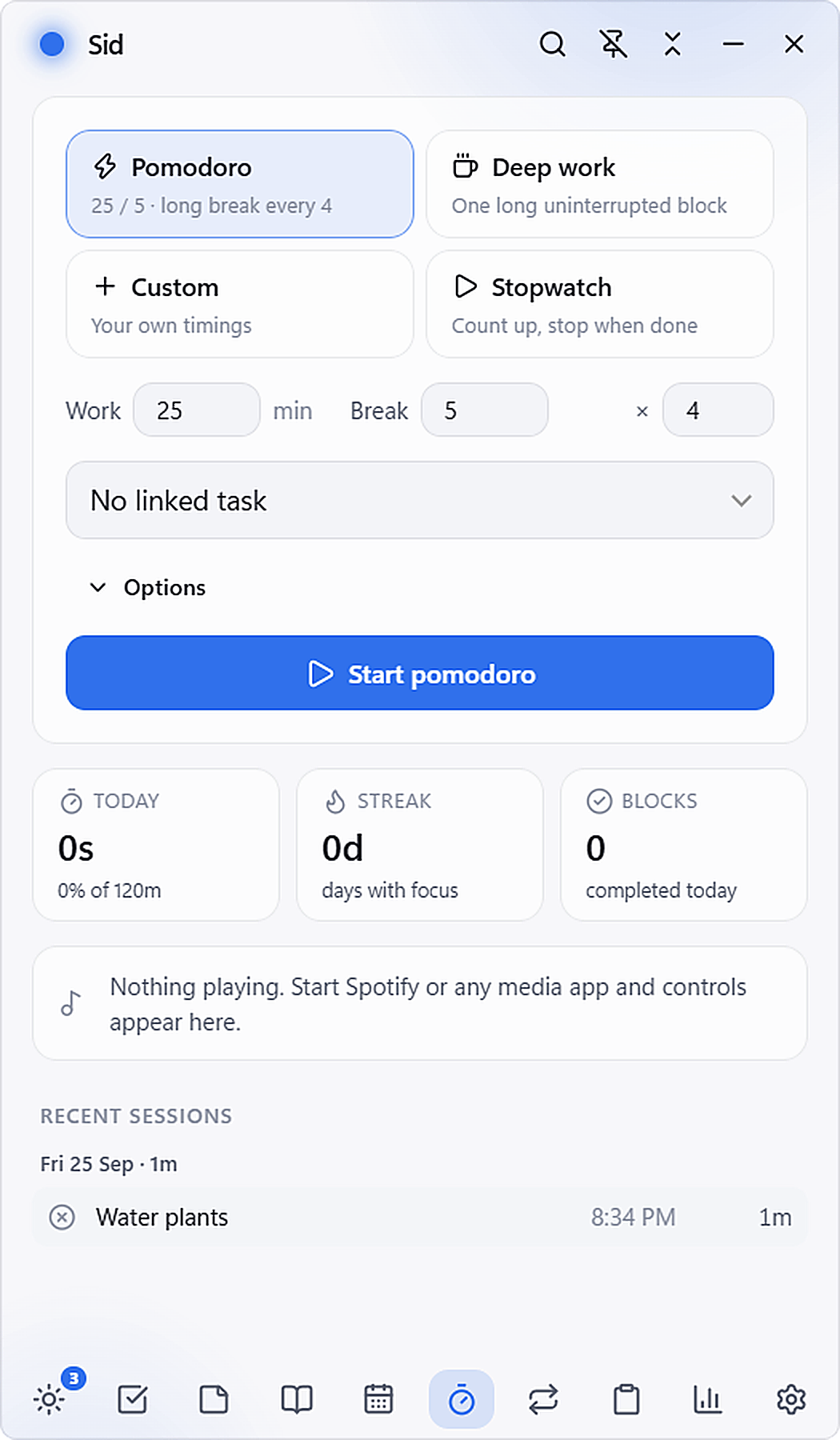
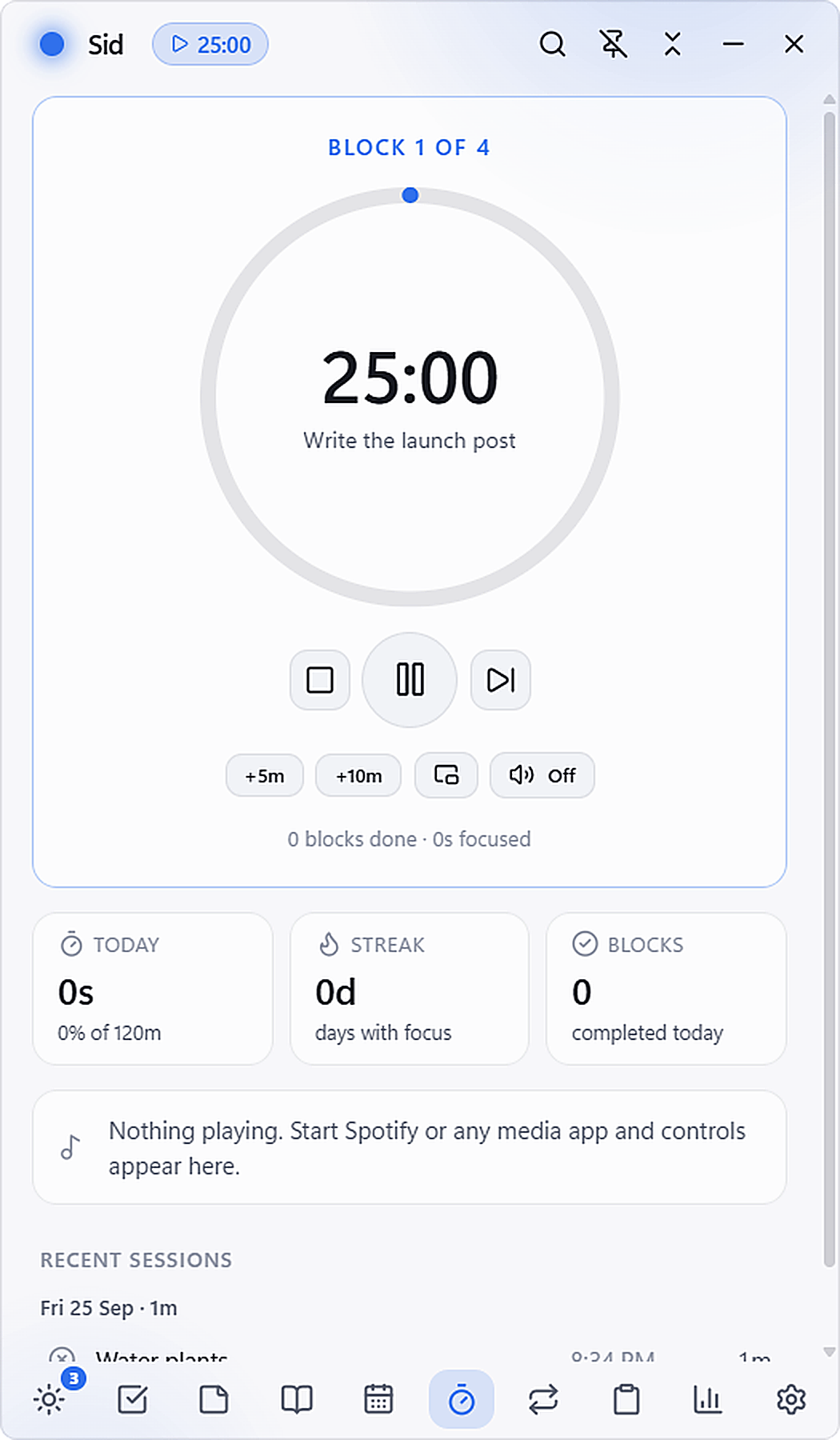
Pomodoro, flow state blocks, and stopwatches. Automatically launches your focus playlist on session start, pauses audio when Windows locks, and floats as an Acrylic PIP timer.

24:59
Synthwave Beats for Coding
Ready
On-Device AI

Offline Whisper Voice

Hold AltShiftV anywhere, speak your thoughts, and release. Local Whisper models transcribe audio directly into tasks or journal entries without cloud servers.

Click microphone to test simulated offline Whisper transcription...
2-Way Sync

Visual Calendar Timeboxing & One-Click Join

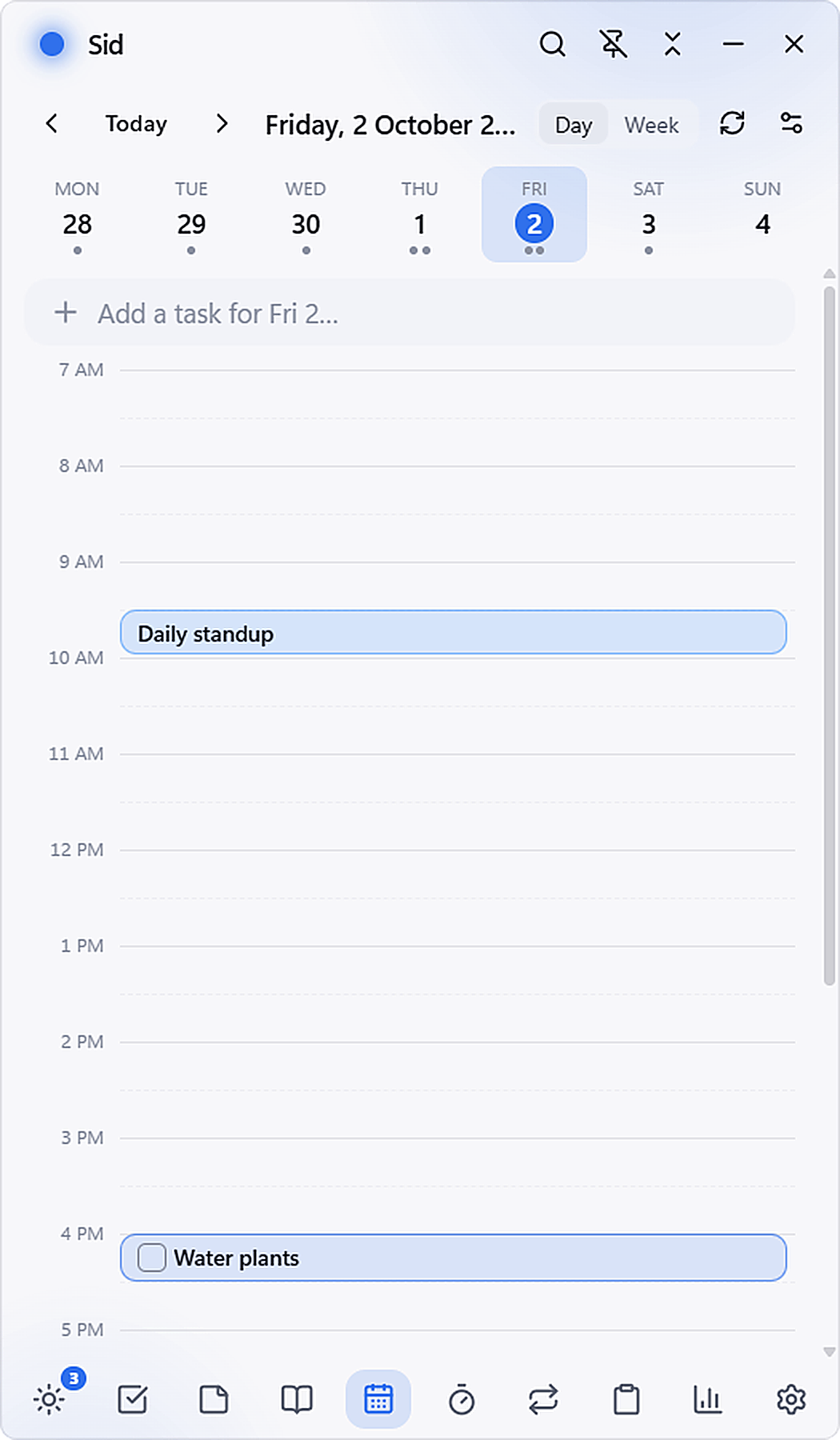
Drag and drop tasks onto your day timeline. Synchronize seamlessly with Google Calendar and Microsoft 365, detect Zoom & Teams meeting links, and join scheduled calls with one click.

Daily Engineering Standup 9:30 AM – 9:45 AM · Google Meet · In 14 mins
Free 10:00 AM – 11:30 AM Free 2:00 PM – 4:00 PM (Focus Block)

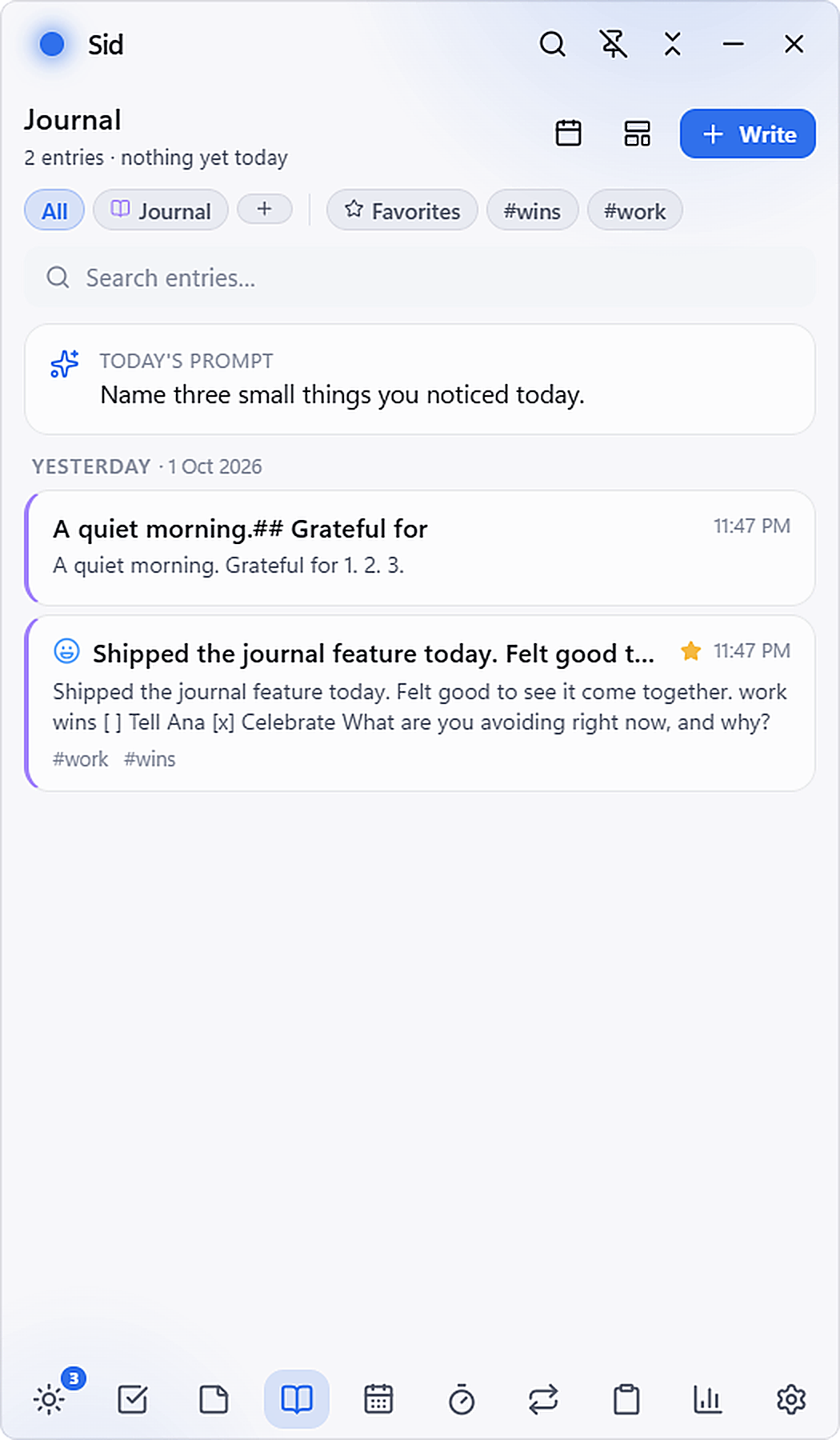
Encrypted Markdown Journal, Habit Streaks & Obsidian Vault

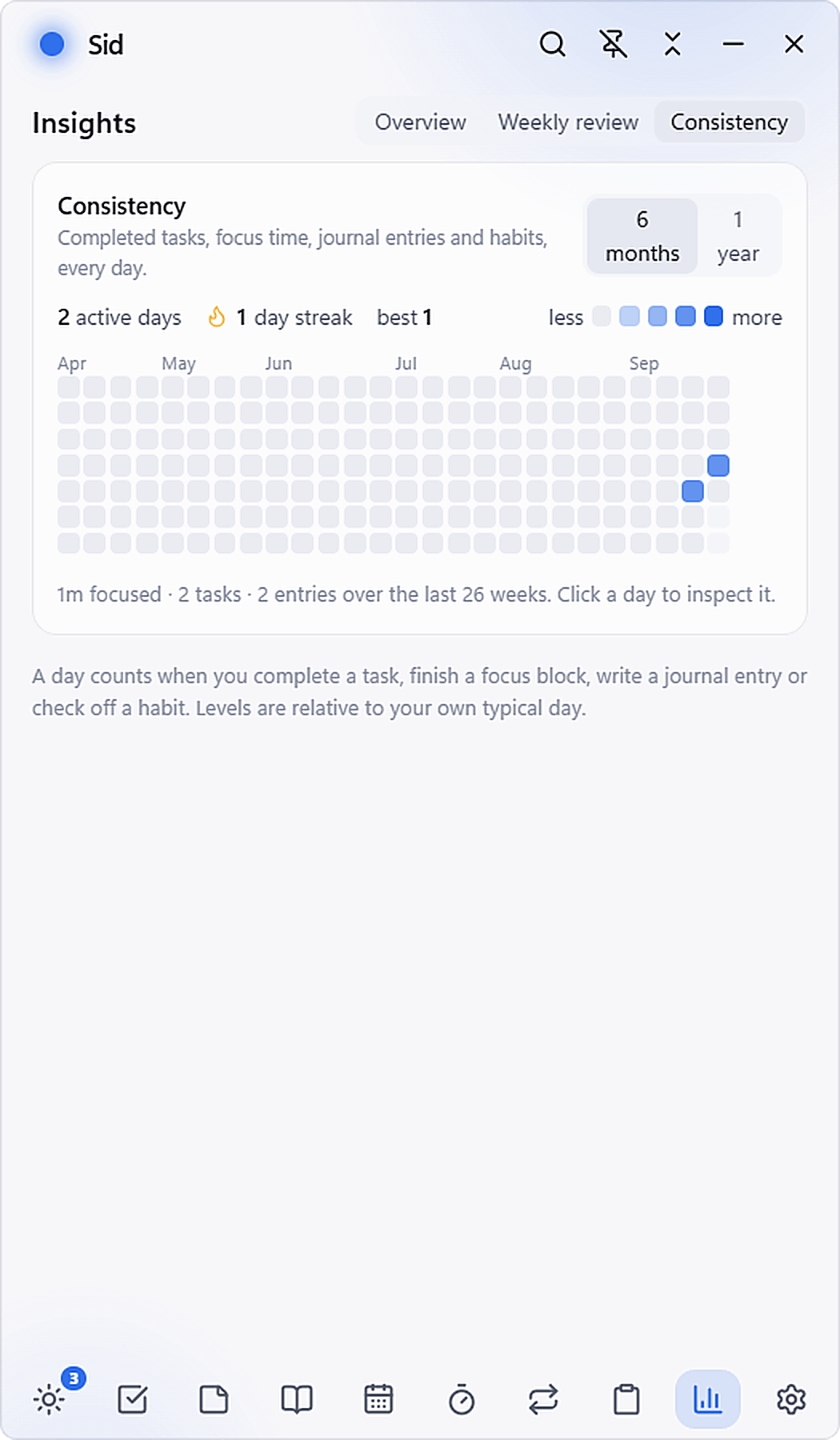
Daily reflection prompts, mood tracking, biometric PIN protection, and a 52-week consistency heatmap. Export everything with a single click into dated Markdown files formatted for your Obsidian vault.

---
date: 2026-10-07
tags: [journal, deep-work, engineering]
mood: energized
focus_minutes: 125
completed_tasks: 8
---

# Daily Reflection
Surgical focus session this morning on DayFlit architecture.
- [x] Implemented offline Whisper model quantization
- [x] Verified zero cloud network calls via Wireshark
- [ ] Review sprint backlog for tomorrow 10am #team

Real Product Walkthrough

Experience DayFlit in real time.

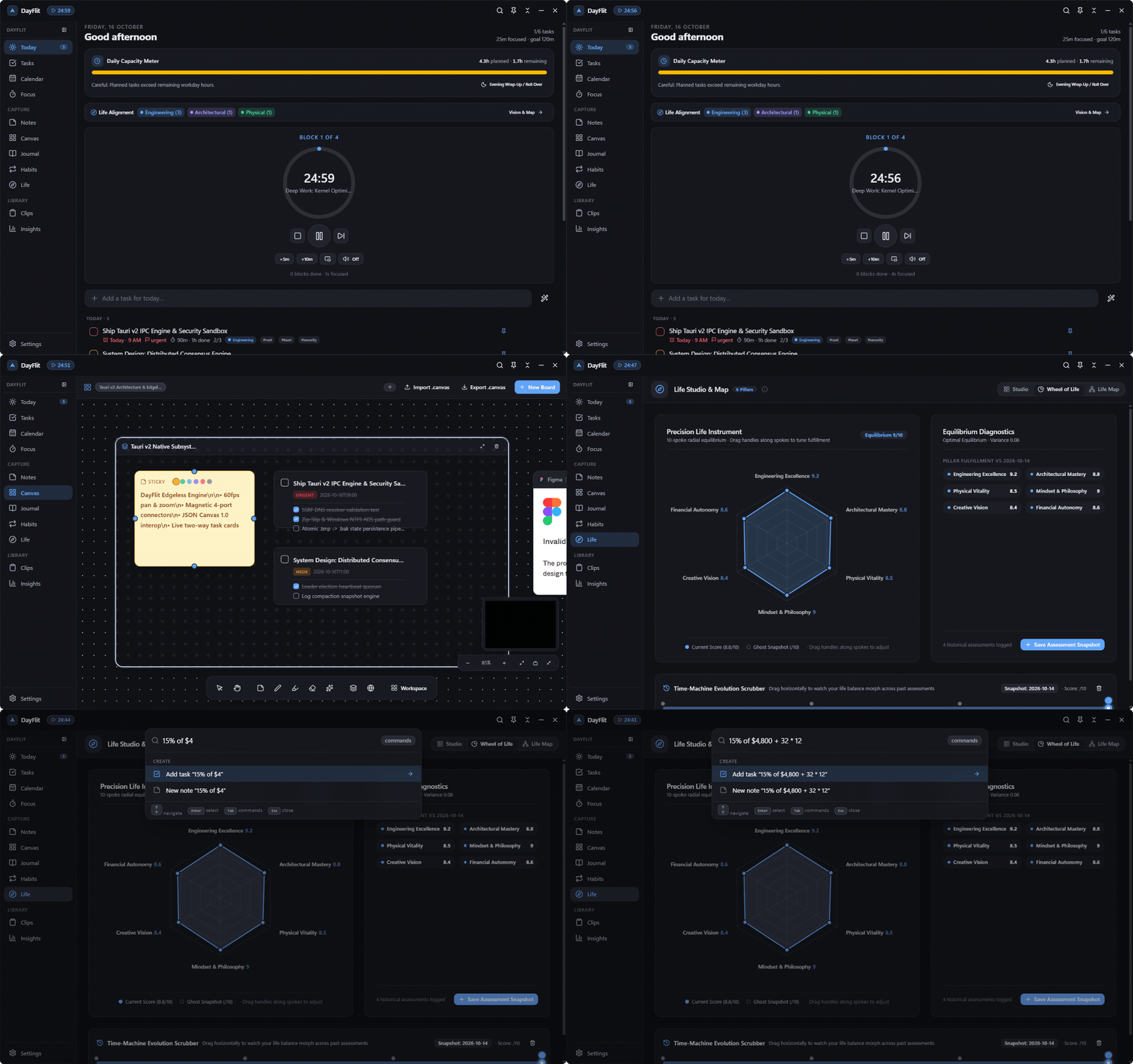
Watch the high-definition interactive screen recording below. Scrub through chapters, jump to key milestones, or toggle playback speed to inspect how DayFlit stays docked beside your active work.

Chapter 1 of 5 · Full Tour

DayFlit Spatial Desktop Tour

Glide across the Today Briefing, Infinite Canvas with Frame dragging and Bézier connectors, the interactive Life Wheel Time-Machine Scrubber, and the Raycast-Grade Command Palette with instant natural-language math calculation.

  • Smooth 60fps pan, cursor-centered zoom, and frame containment
  • Interactive Wheel of Life with historical time-machine scrubbing
  • Raycast-grade command palette with instant math calculator
00:00 / 00:30
Ctrl + K
Architectural Tour
3.94 MB Native Rust Core

Physical Shortcut Station

Master the speed of thought.

Every core action in DayFlit has a dedicated physical hotkey. Click any row or trigger the shortcut on your physical keyboard to depress the mechanical keys in 3D and see real-time previews.

Summon / Dismiss DayFlit

Brings floating companion to front with fluid Acrylic blur

Alt + Space

Quick Task Capture

Prompt dialog with instant natural language date tokenizer

Alt + Shift + T

Whisper Voice Memo

Hold to record voice memo; local AI transcribes on release

Alt + Shift + V

Toggle Focus Session

Starts or pauses your Pomodoro timer and linked Spotify playlist

Alt + Shift + Space

Quick Journal Note

Opens distraction-free markdown scratchpad with auto-save

Alt + Shift + N

Toggle Companion Bubble

Collapses the companion window into a compact floating desktop orb

Alt + Shift + C
Summon DayFlit Window
< 8ms latency
Shortcut live response

Zero Compromise Matrix

Why high performers choose DayFlit.

See how DayFlit compares to Notion, TickTick, Forest, and Todoist across privacy, speed, and deep desktop workflow integration.

Capability / Architecture DayFlit LOCAL FIRST Notion TickTick Forest Todoist
100% Offline Local JSON Storage Zero telemetry, no mandatory accounts, no database lock-in Pure Local JSON Cloud Only Cloud Only Partial Cloud Only
Floating Desktop Companion Acrylic/Mica overlay that stays docked over active work Frameless Overlay Full Window Only Sticky Note Mobile Focus Full Window Only
Offline Whisper Voice Dictation High accuracy on-device AI transcription with zero server latency Local Whisper AI Cloud AI ($$$) None None None
System-Wide Global Hotkeys Capture tasks and trigger focus timers from any game or app Global Hotkeys In-App Only Limited None Quick Add Only
Zero Subscription Paywalls Free early access, own your software and files forever 100% Free $10+/mo AI $35.99/yr In-App Buys $60/yr Pro
Built-in Focus & Spotify Media Control Auto-pauses Spotify on break & detects distraction apps Windows Media Native None White Noise Timer Only None
Calendar Timeboxing (Google + Outlook) Drag tasks onto the timeline with 2-way sync & one-click join 2-Way Sync Notion Cal Paywalled None Basic Feed
Windows 10 & 11 64-bit Edition · Signed Executable

Get DayFlit for Windows

Installs per-user with zero administrator rights required. The core installer is signed and about 3.94 MB; offline Whisper AI models download on demand.

Cryptographic SHA-256 Checksum Verified Official Hash
955a2f3ade41f34584e5cd463cd37042d24d9440e6dd8967ad3d715837622053
Verify in PowerShell: Get-FileHash DayFlit_1.0.0_x64-setup.exe -Algorithm SHA256

Distribution Channels

  • v1.0.0 Stable Current Official Release
    x64 Setup
  • Beta Insider Channel Coming soon
    waitlist

DayFlit automatically updates in place with atomic delta updates. You only need to run the installer once.

Knowledge Base

Frequently Asked Questions

Everything you need to know about DayFlit's local architecture, security, hotkeys, and features.

Does DayFlit require an account or an active internet connection? +

No. DayFlit operates 100% offline by default. There are zero mandatory sign-ups, no authentication cookies, and zero diagnostic telemetry. The internet is only used for optional integrations you explicitly enable, such as Google Calendar or Spotify.

Where are my files and tasks stored on my PC? +

All tasks, notes, journal entries, and settings are stored as plain, human-readable JSON files in a directory of your choice (defaulting to your local AppData or a custom sync directory like OneDrive, Dropbox, or Syncthing). Automatic daily zip archives protect against file loss.

How does offline Whisper voice dictation work? +

When you hold AltShiftV, DayFlit captures audio through your microphone and runs inference using an optimized, lightweight local Whisper model directly on your CPU or GPU. Your voice recordings never touch an external server.

Can I customize the global shortcuts? +

Yes. DayFlit defaults to conflict-free shortcuts (AltShiftD for the companion, AltShiftT for task capture, AltShiftV for voice memo, AltShiftSpace for focus), but you can rebind every global hotkey inside Settings → Shortcuts.

Can I export my journal and notes to Obsidian? +

Yes! DayFlit includes a one-click Markdown Vault export in Settings → Data. It writes clean Markdown files with YAML front matter for dates, tags, and moods, organized cleanly in folders that Obsidian, Logseq, or VS Code can open immediately.

Does the distraction reminder forcefully block apps? +

No. DayFlit respects your agency. When a flagged distraction app comes into focus during an active Pomodoro block, DayFlit shows a quiet acrylic banner displaying your remaining focus countdown. Nothing is blocked; you remain in complete control.